For families, flatmates & friends
The shared cookbook that plans your week.
Keep every recipe in one place. Plan dinners together in minutes. Get a shopping list that writes itself. Check nutrition with an easy food log.
Free · No ads · Add it to your home screen and use it like an app
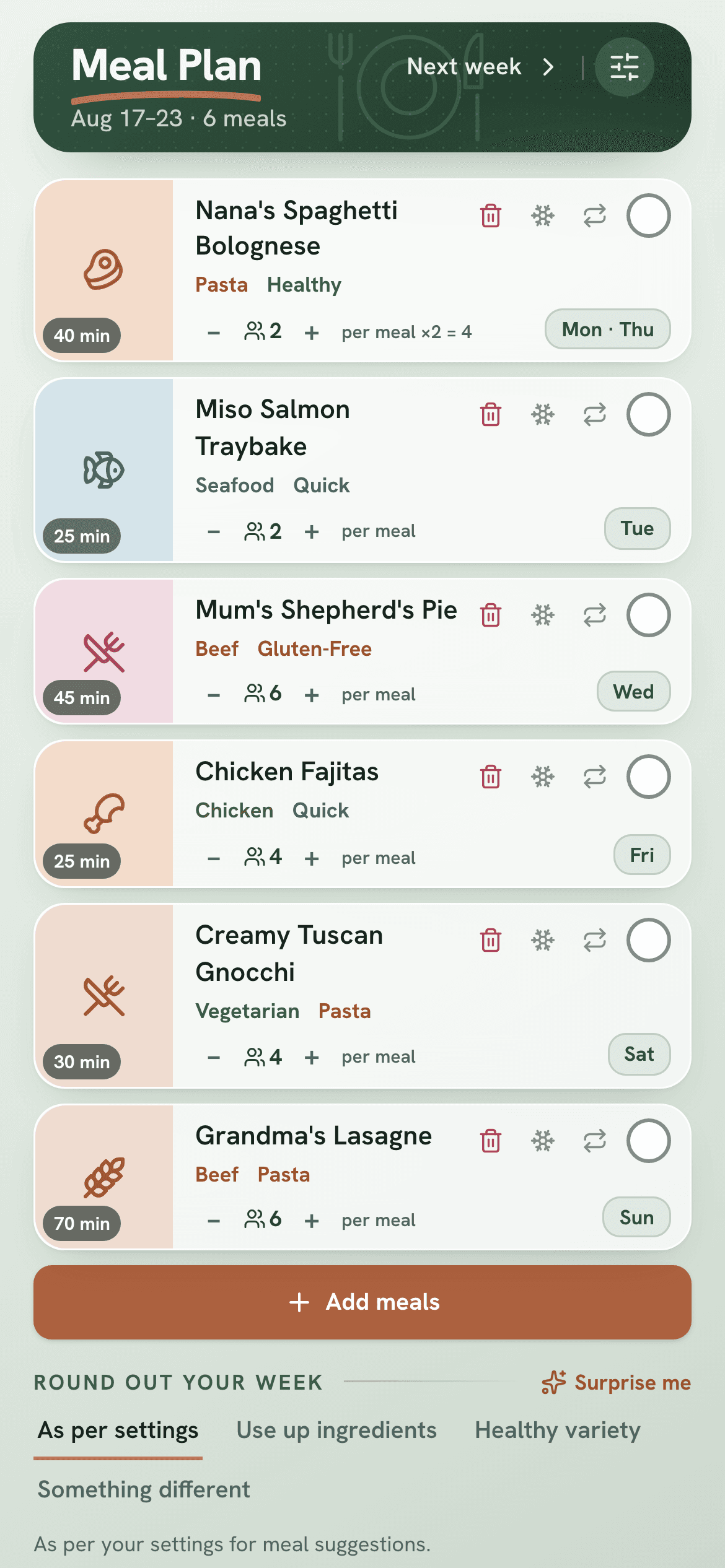
The cookbook
Every recipe, one place
No more texting Mum for the meatball recipe. Add your own recipes, paste one in, or import it from a website - then share them all with your group.
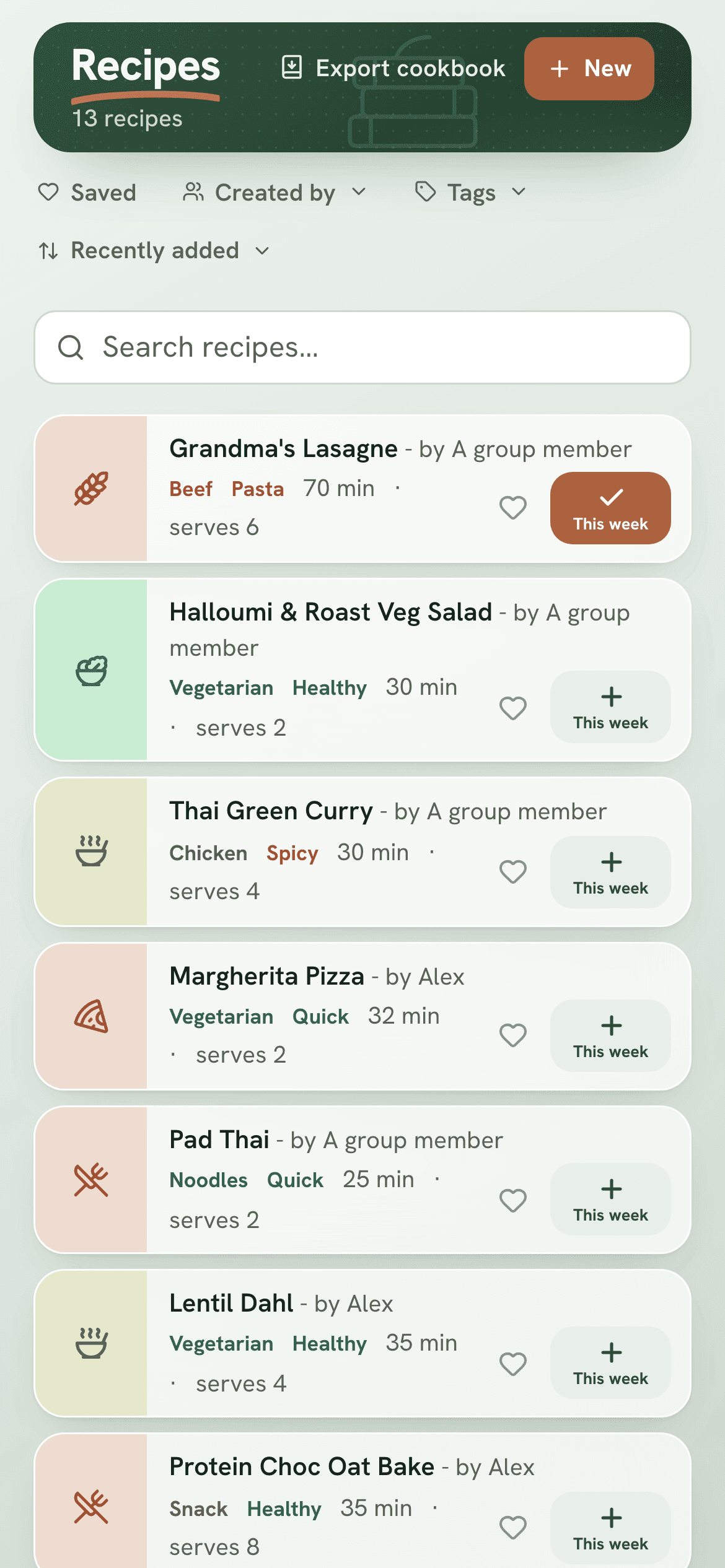
Plan together
Plan the week in minutes
Pick meals from your cookbook and add them to the week. Link up with the people you cook with, so you all see the same plan - no more asking “what's for dinner?”
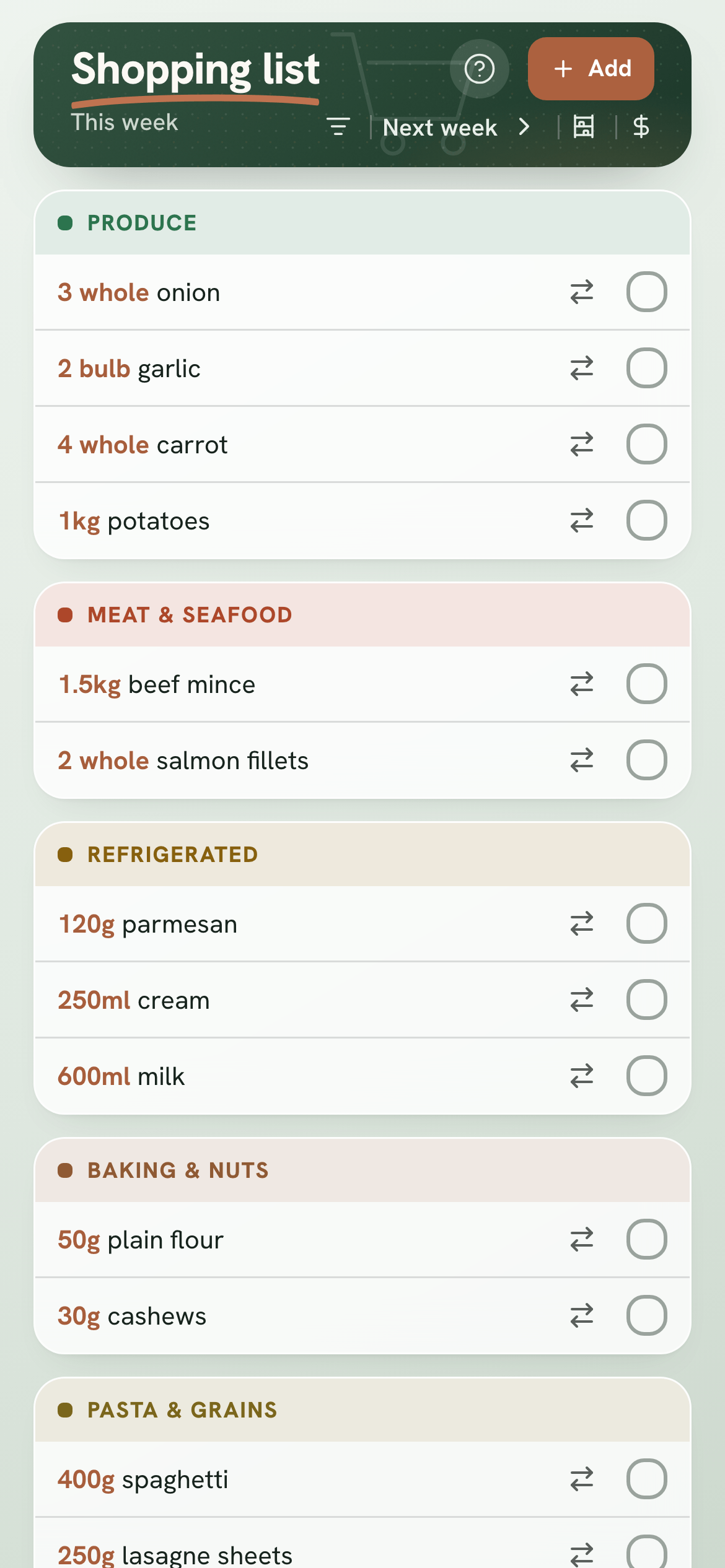
Shop once
A list that writes itself
One tap turns the week's meals into a shopping list. It's sorted by supermarket aisle, and skips anything you already have. Tick things off together as you shop.
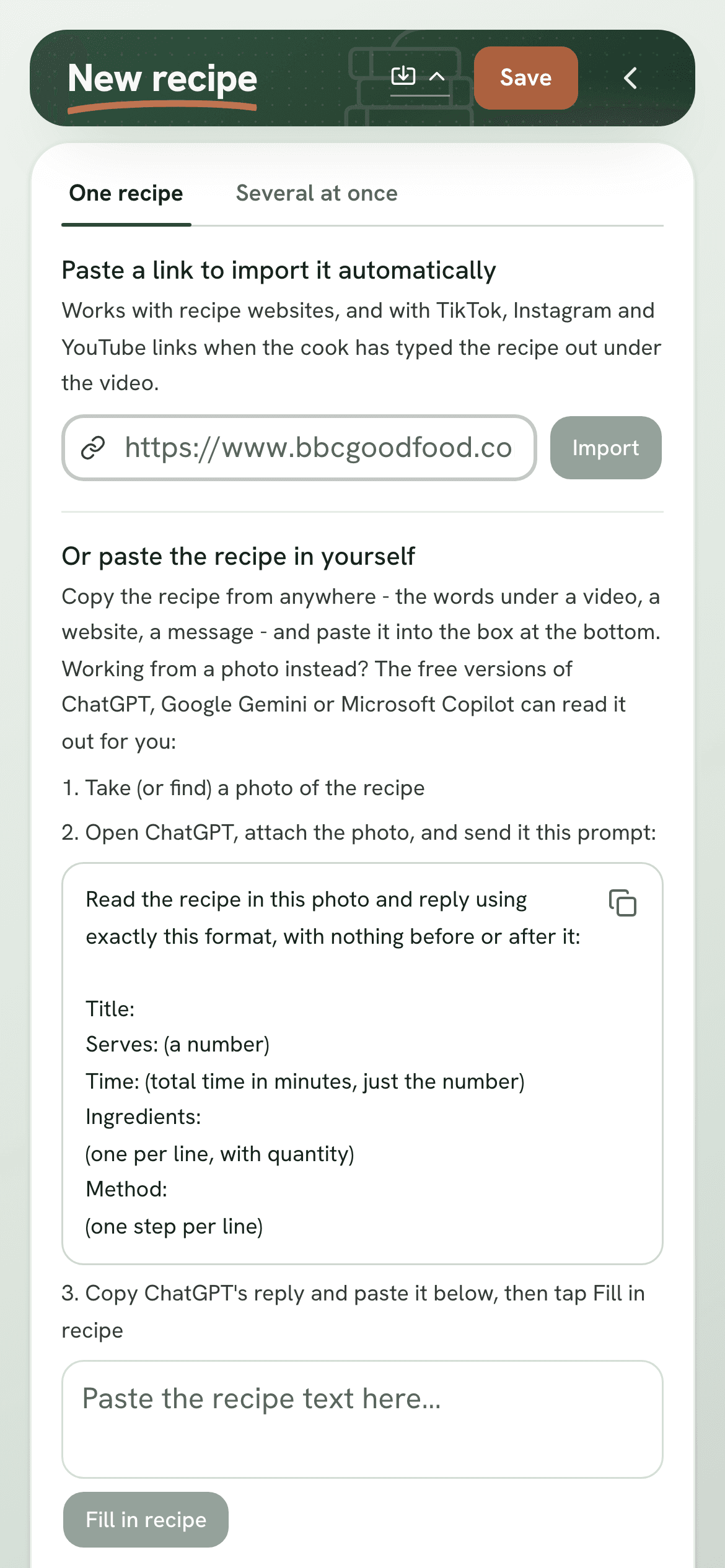
Paste a link - a recipe website, TikTok or YouTube - or snap a photo
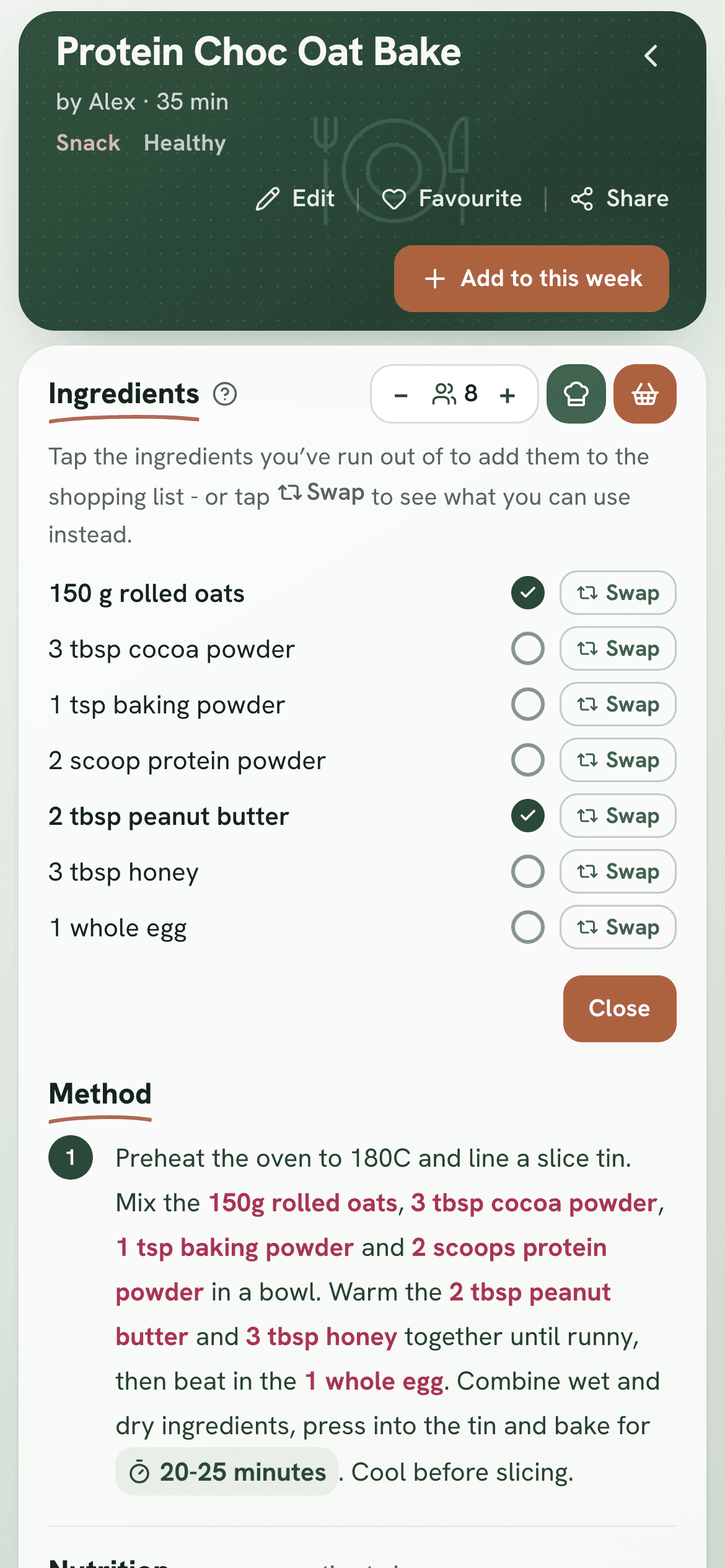
Cooking and shopping made easier
Every recipe ready when you need it
Add a recipe three ways. Paste a link - to a recipe website, or a TikTok, Instagram or YouTube video where the recipe's typed out underneath - and it fills itself in. Type it in yourself, one ingredient per line. Or snap a photo and use a free tool like ChatGPT, Gemini or Copilot to read it - paste back what it says, then tap Fill in recipe.
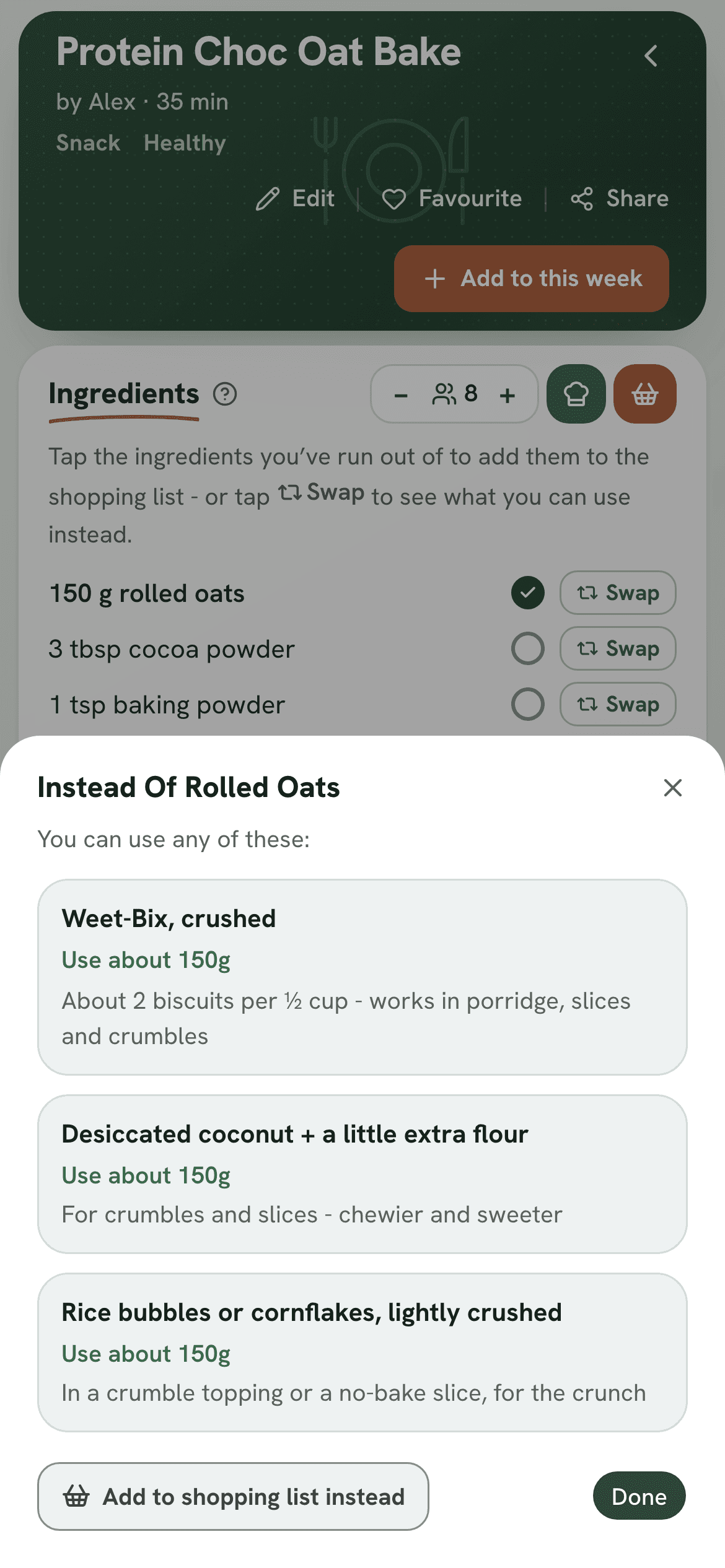
Run out of something? Open the recipe and tap Out of. Now you can tick what you're missing - it goes straight on your shopping list. Ingredients with a swap also show a Swap button, with what to use instead and how much.
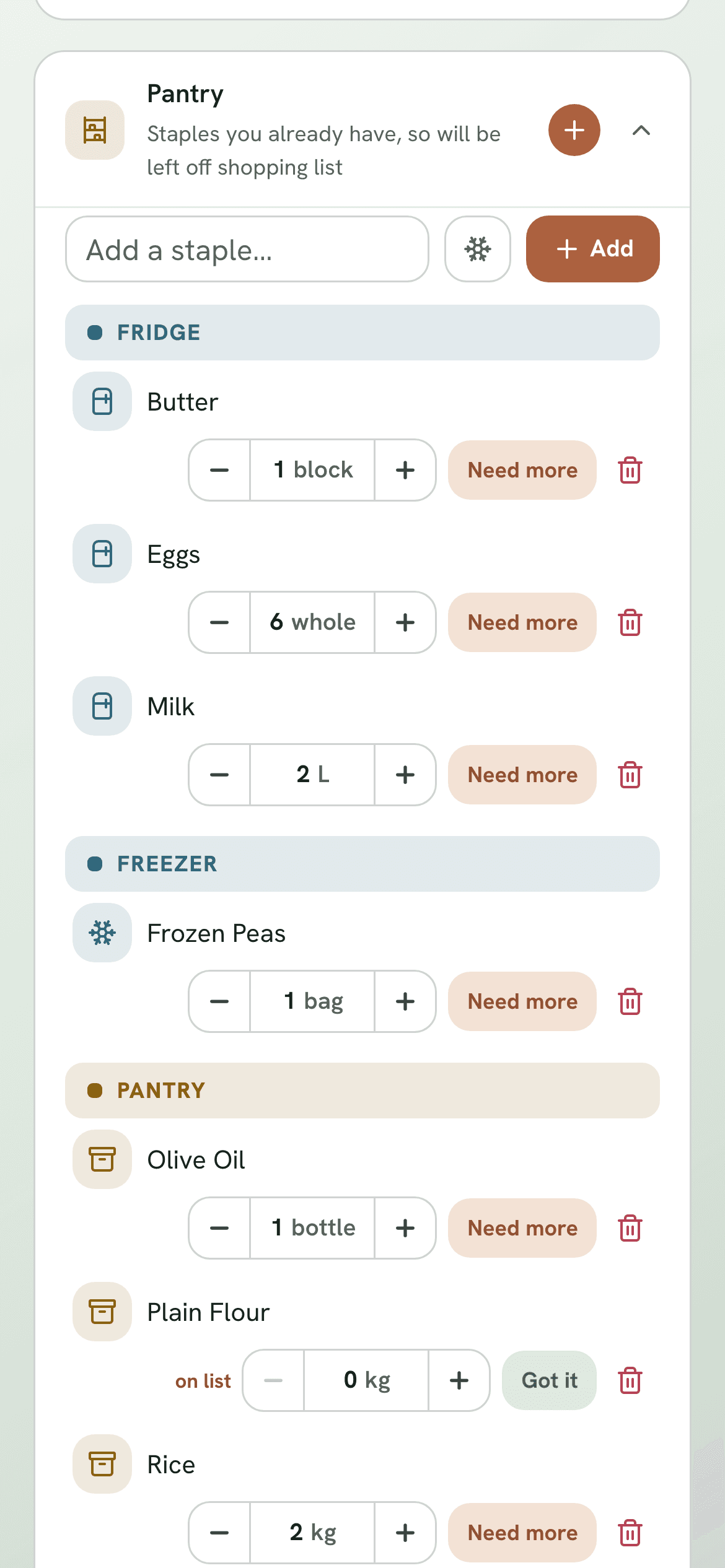
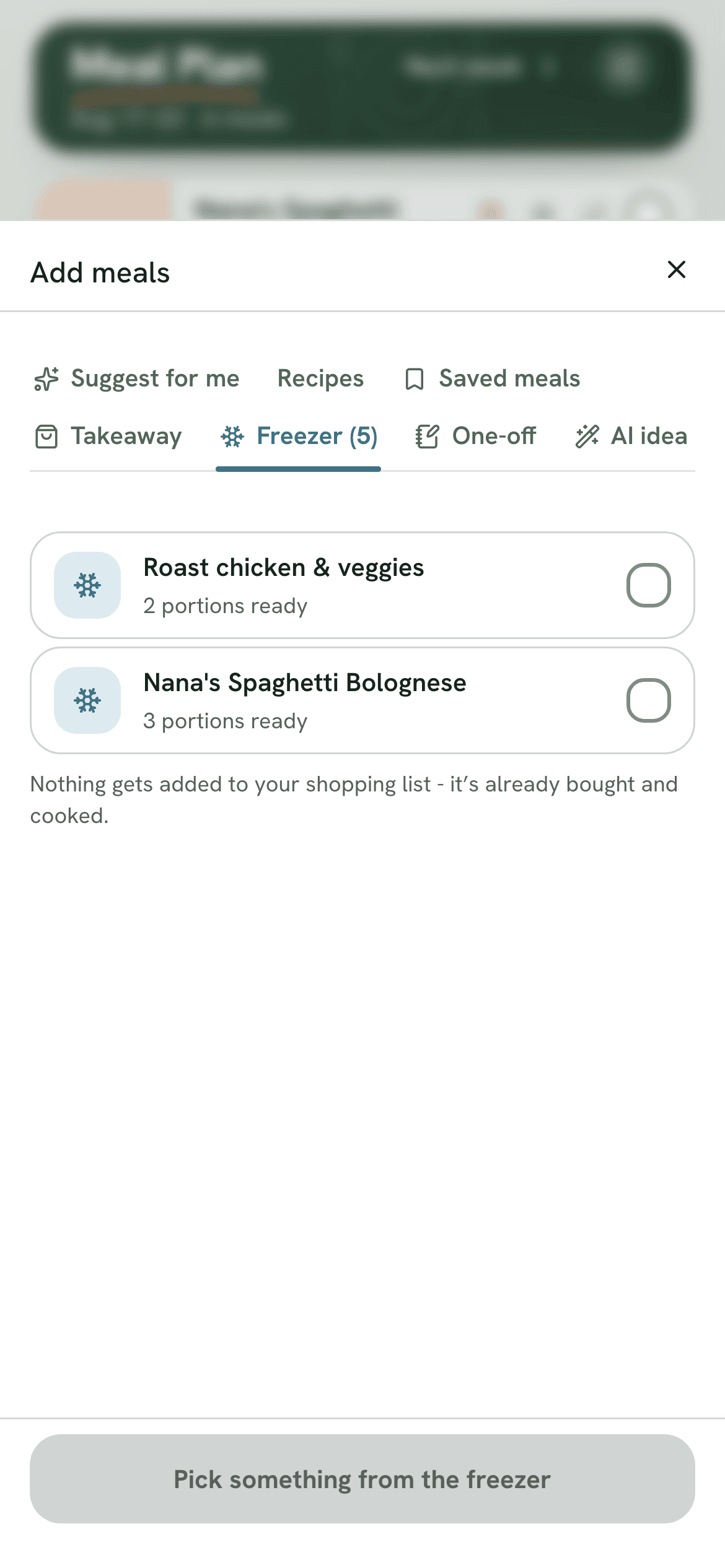
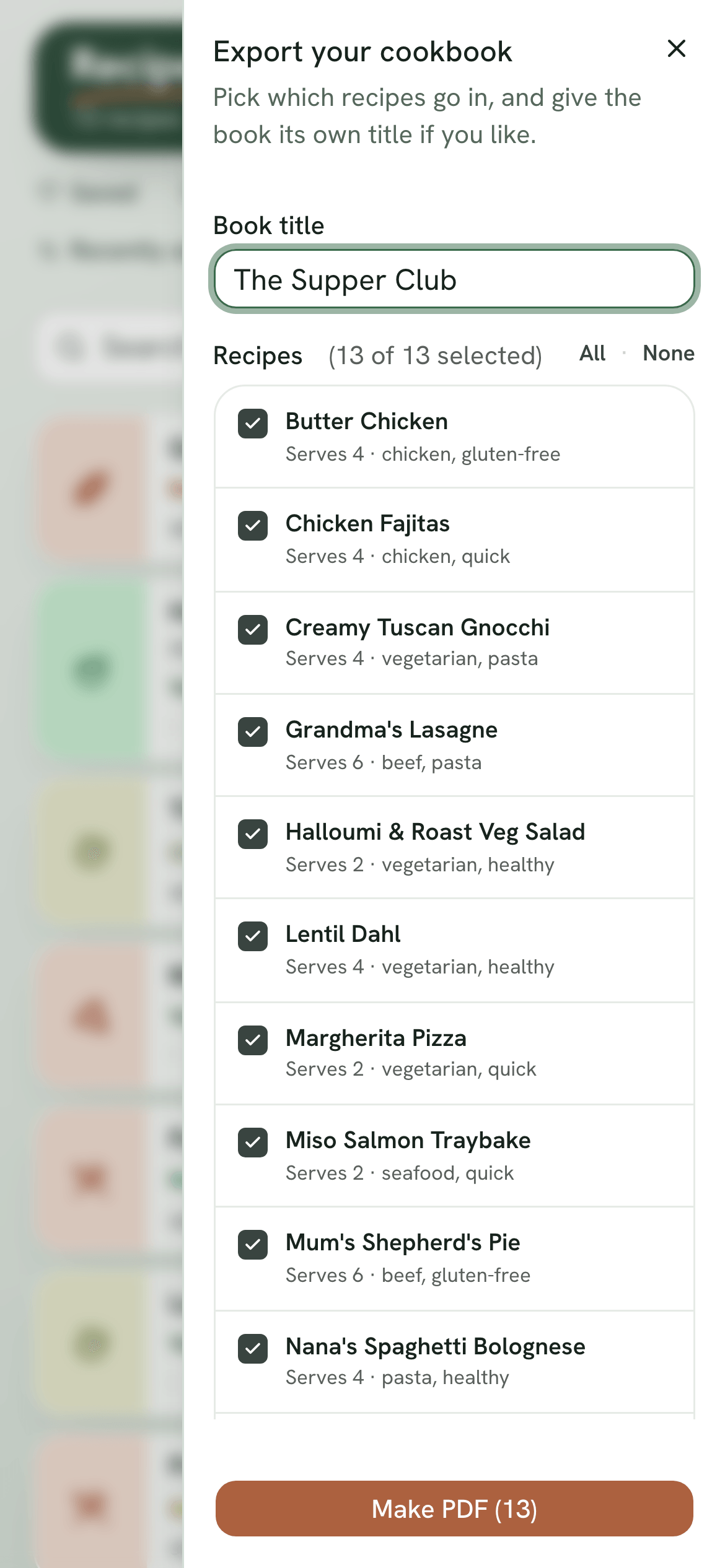
Track what you've actually got - fridge, freezer or pantry - right down to how much, including portions you've frozen from a previous cook. Shopping only ever asks for what you're truly missing. And once your cookbook's full, tap Export cookbook to turn any set of recipes into a print-ready PDF - good for the fridge door, or as a gift.
Hands-free in the kitchen
Cook mode: one step at a time, no scrolling with messy hands
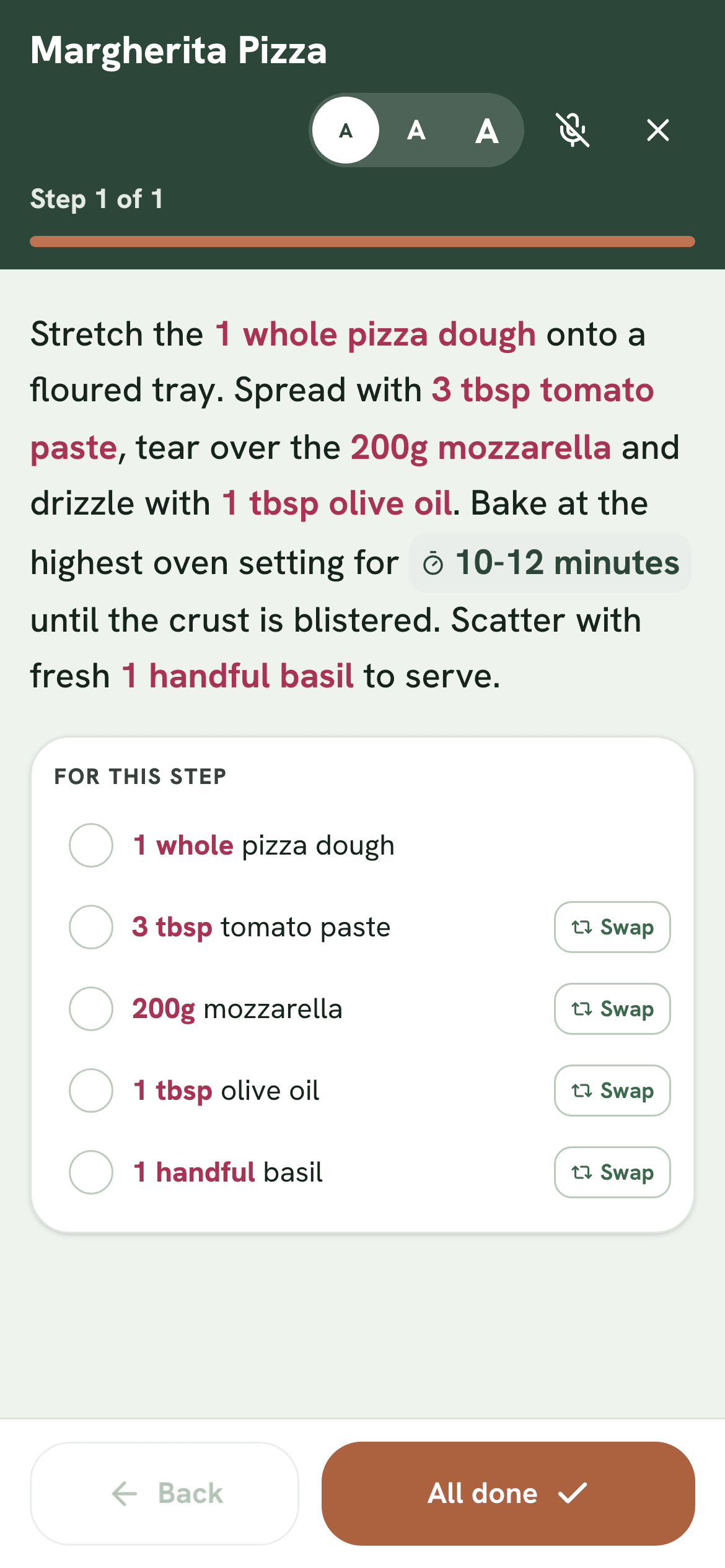
Tap Cook mode and the recipe turns into one big step at a time, with just the ingredients that step needs. The screen stays awake, so it won't lock while your hands are covered in flour.
Say “next”, “back”, “read it out loud” or “start timer” to move through the recipe - no need to touch your phone with messy hands at all.
Never stuck for ideas
Meal ideas that fit how you like to eat
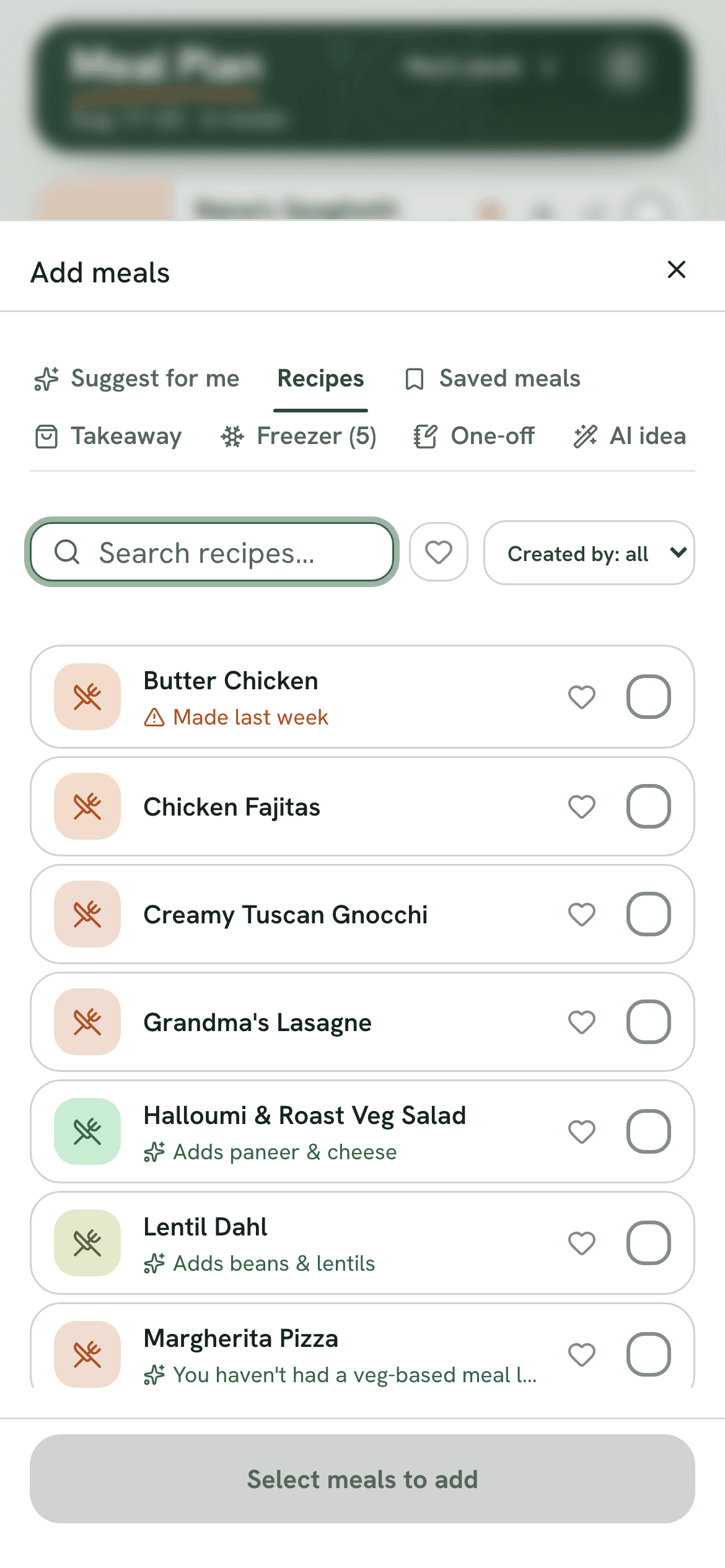
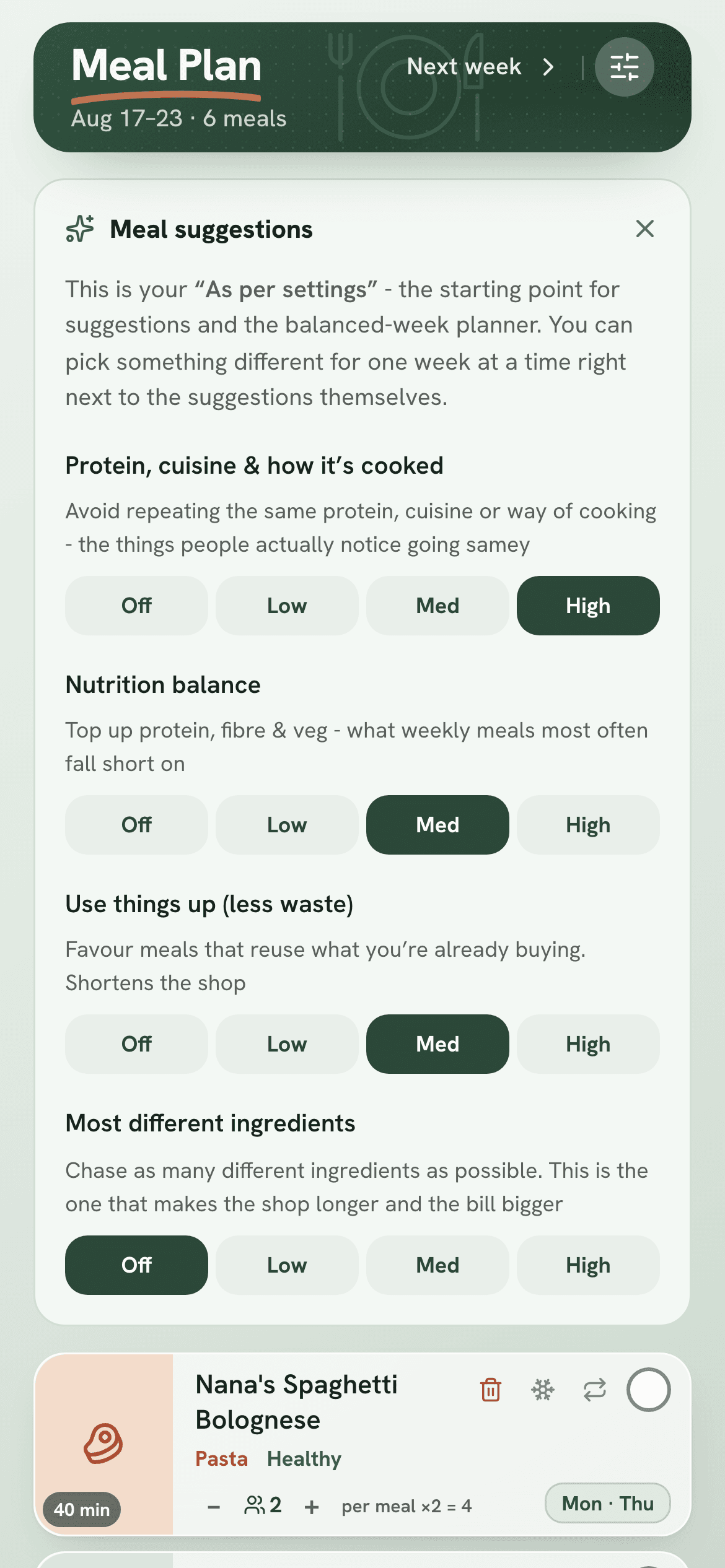
Tell it what “variety” means to you - different proteins and cuisines, more nutrition, or using up what you have. Then tap Suggest for me. It picks a balanced set of meals in one go, and shows why each one was picked - like a fish night, if you haven't had one in a while.
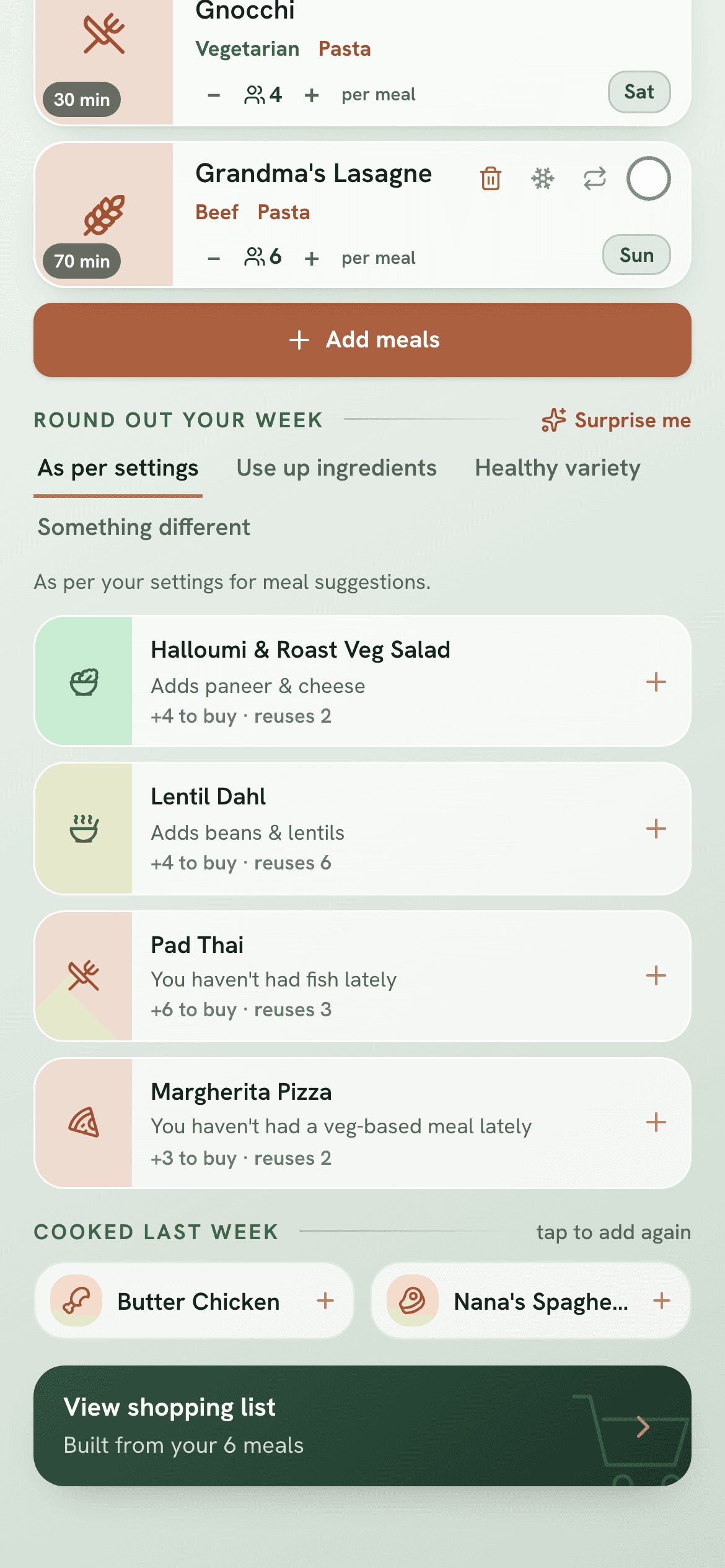
On the week itself you'll also find Round out your week, meal ideas to add with one tap. There's a Surprise me button too, and one-tap re-adds of what you cooked last week.
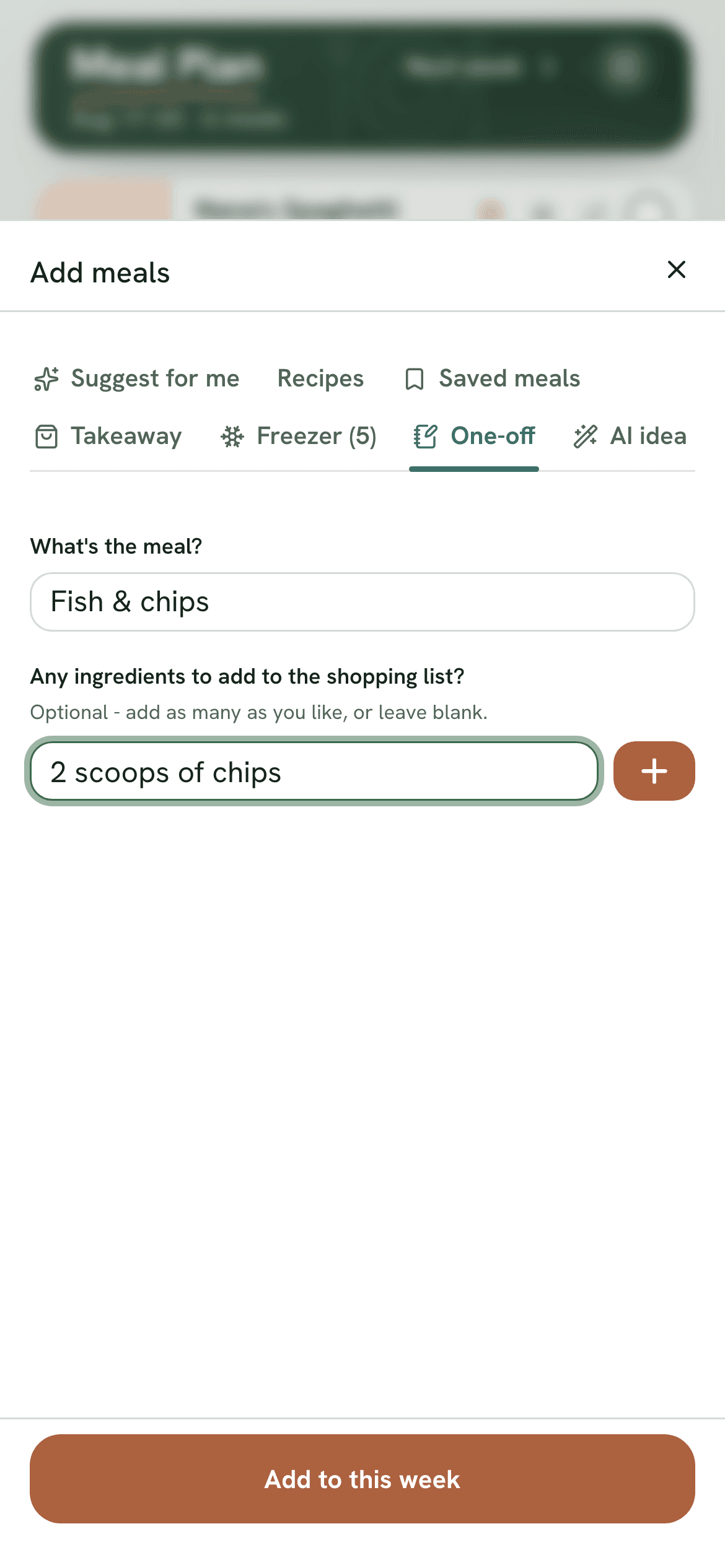
Not every night needs a recipe. Takeaway nights and one-off meals go on the week too, and anything you need for them goes on your shopping list.
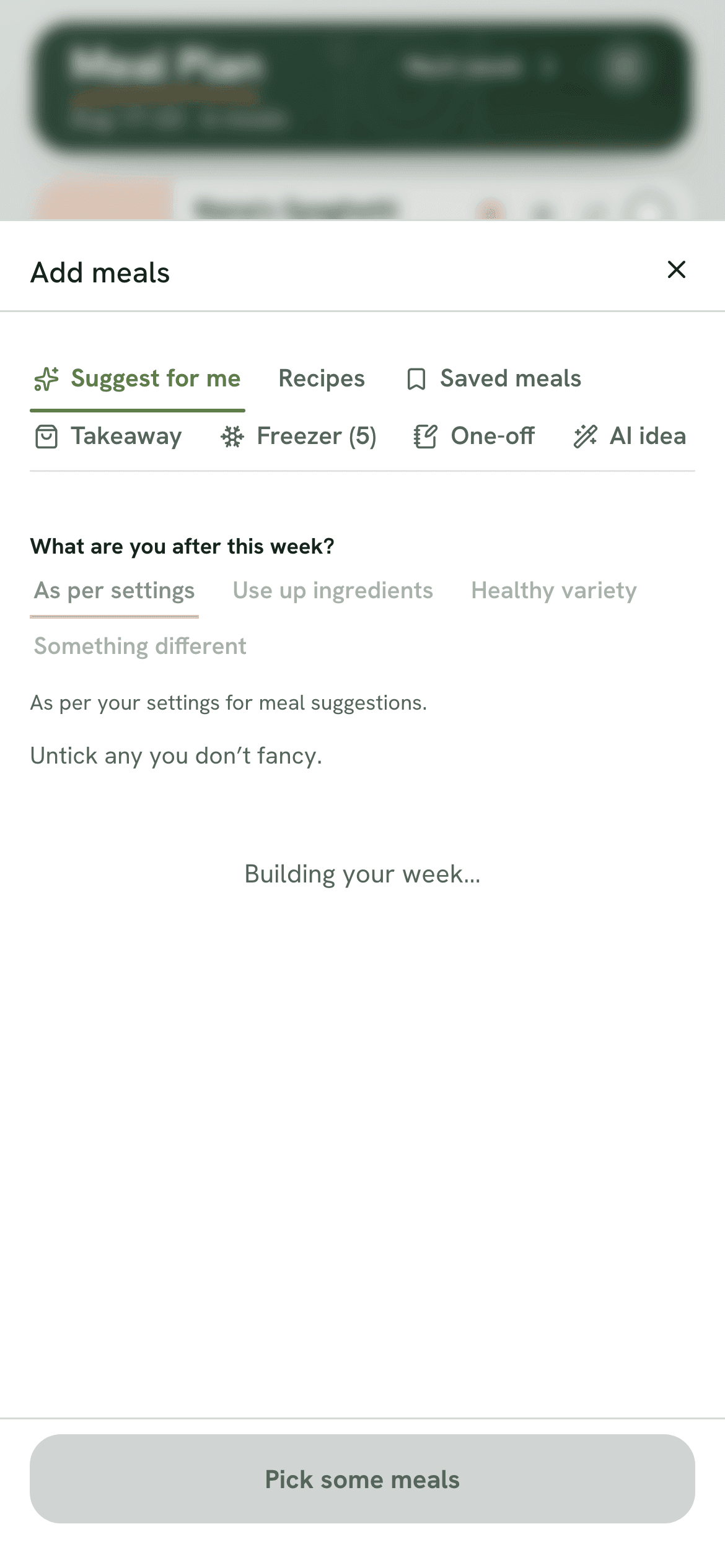
Suggest for me: a balanced spread to add
The food log
See how you're actually eating
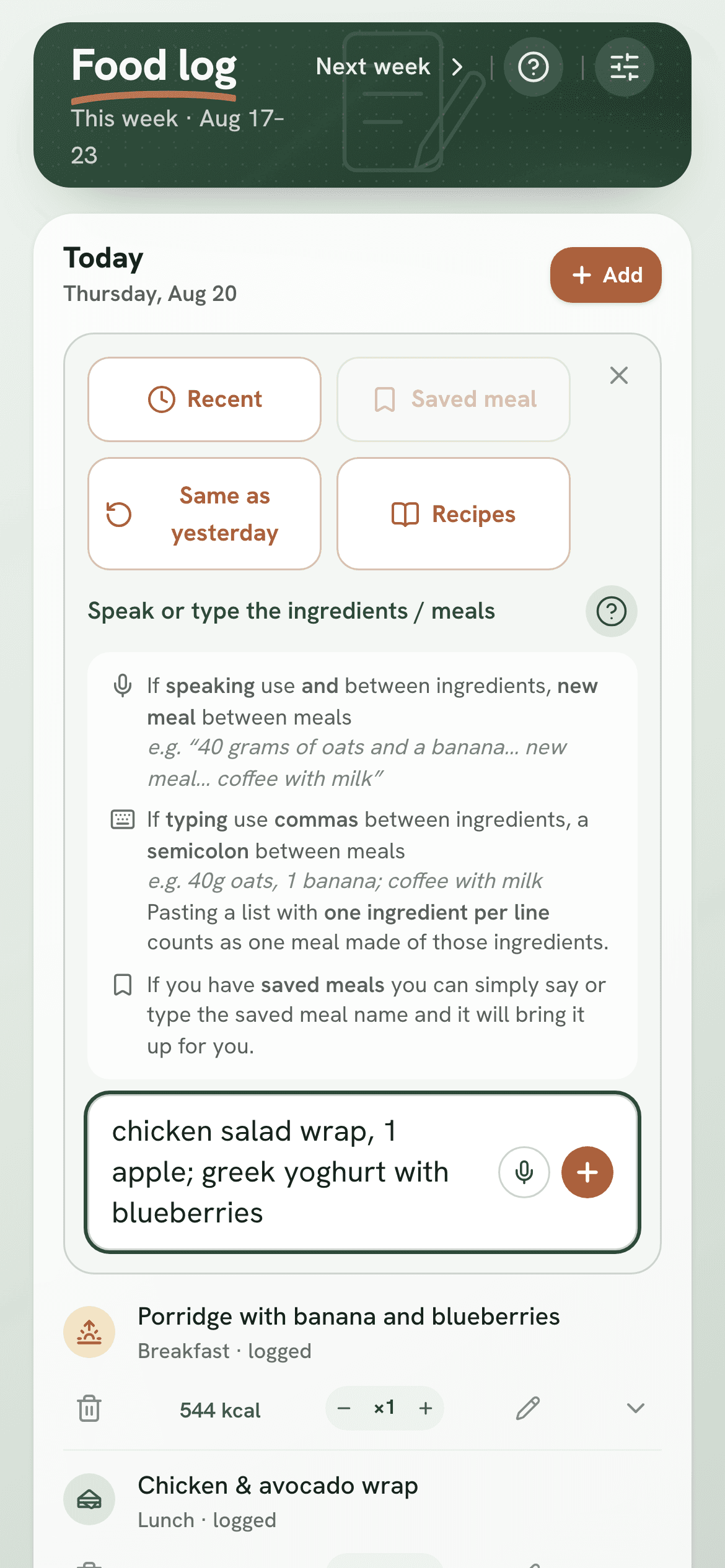
Meals you've planned log themselves. Anything else, just type it or say it out loud - like “scrambled eggs on toast and an orange juice” - and it works out the nutrition for you. You can save meals you eat often, so you can log them again in one tap. You can also search for the exact product you ate, or pull in one of your recipes.
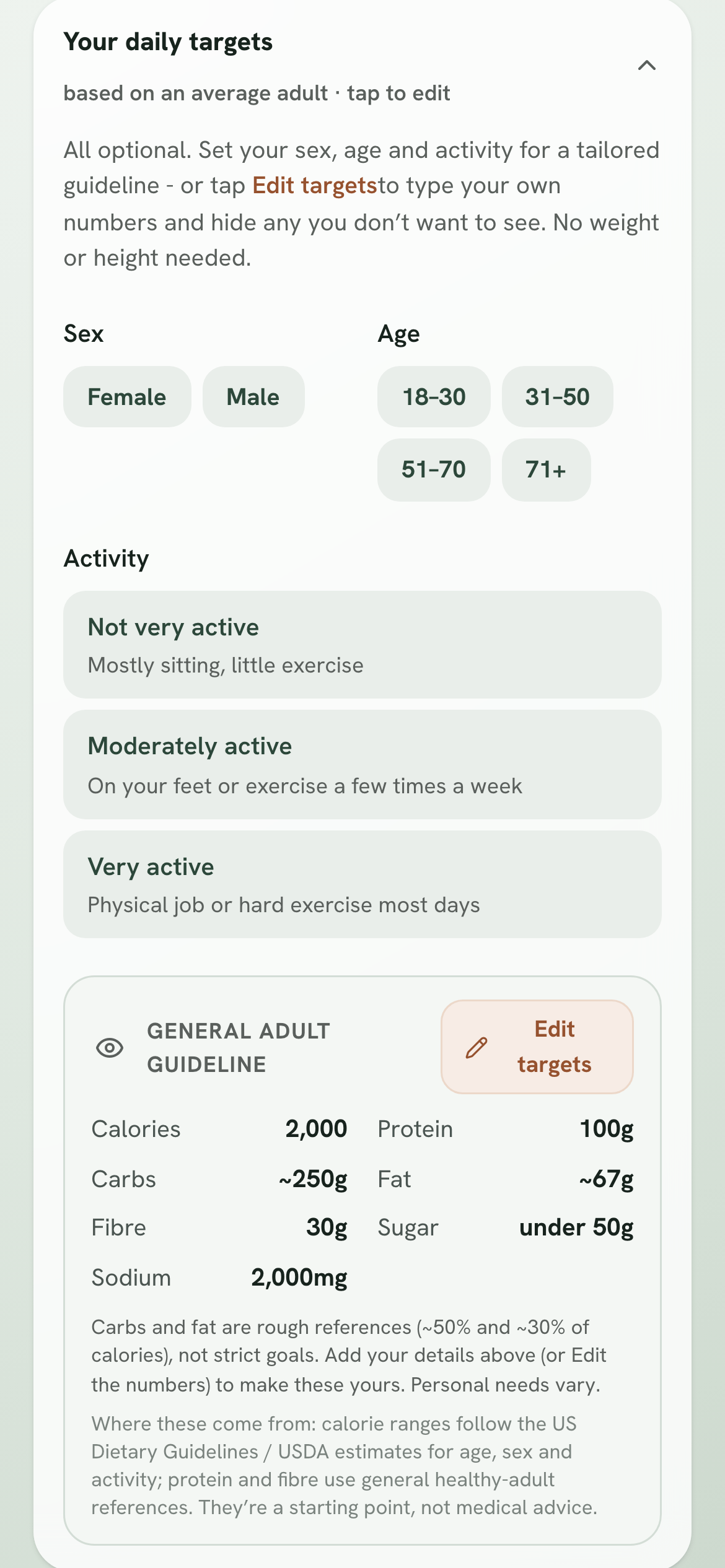
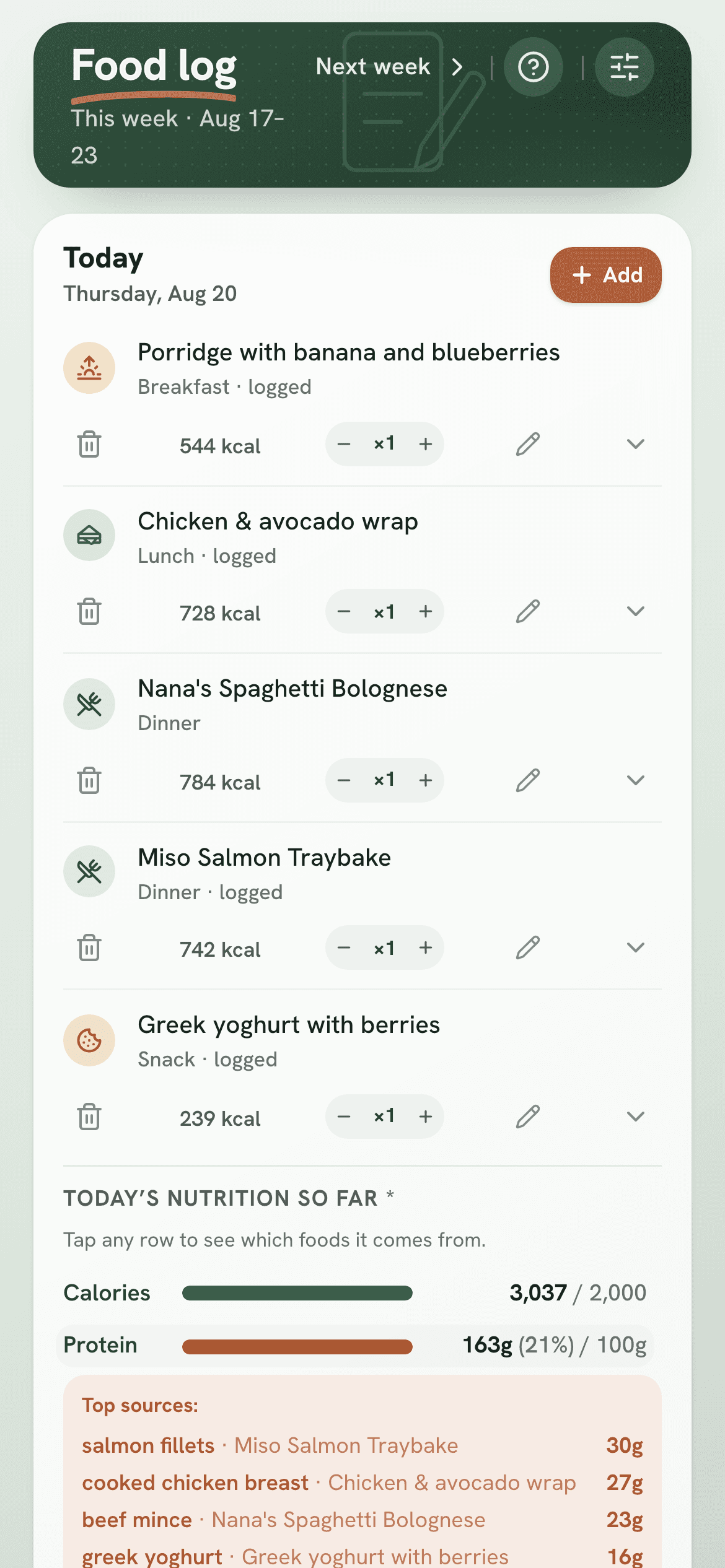
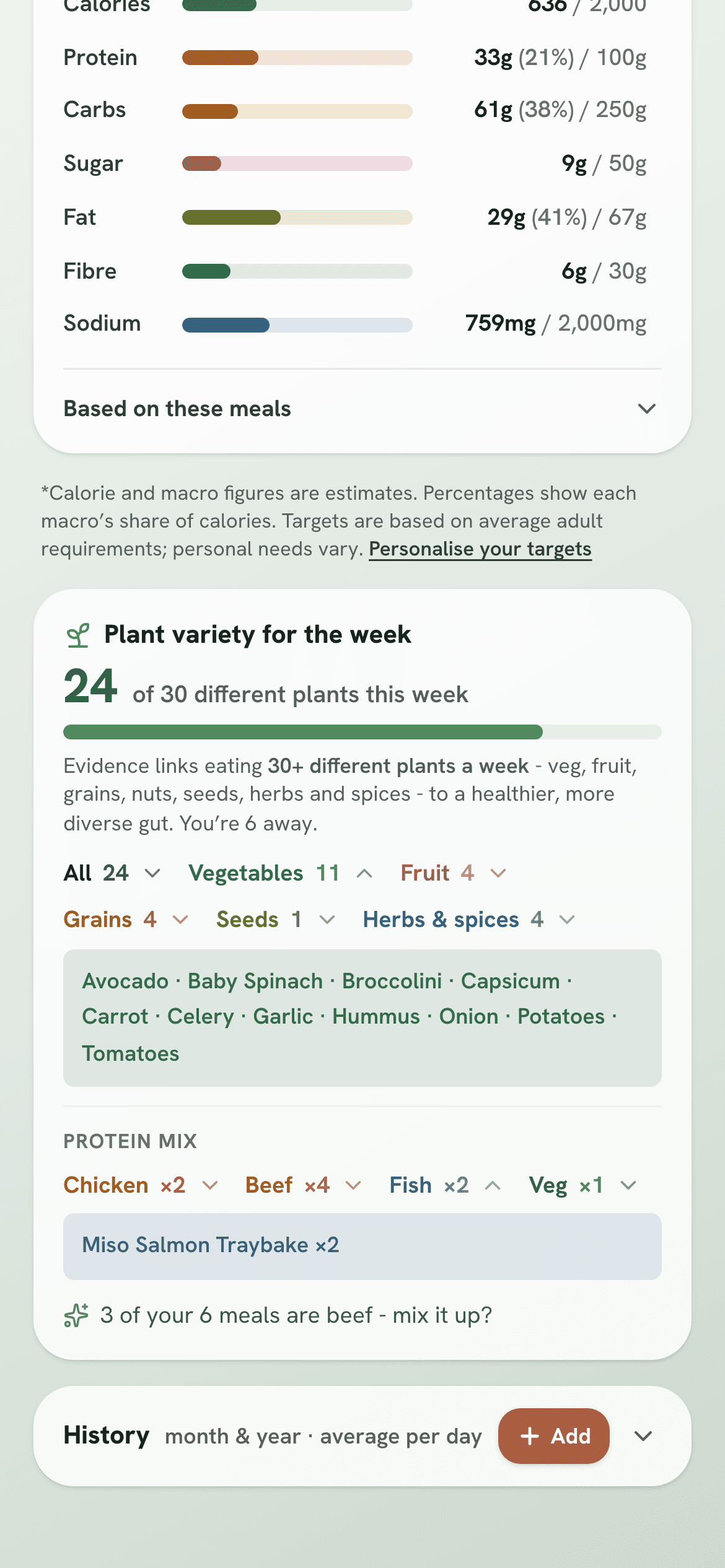
It tracks calories, protein, carbs, sugar, fat, fibre and sodium against daily targets you can edit. Tap any of them to see exactly which foods it came from, plus how many different plants and proteins you've eaten.
Already tracking food in FatSecret or MyFitnessPal? Bring your history across in one go - your old numbers stay exactly as that app worked them out.
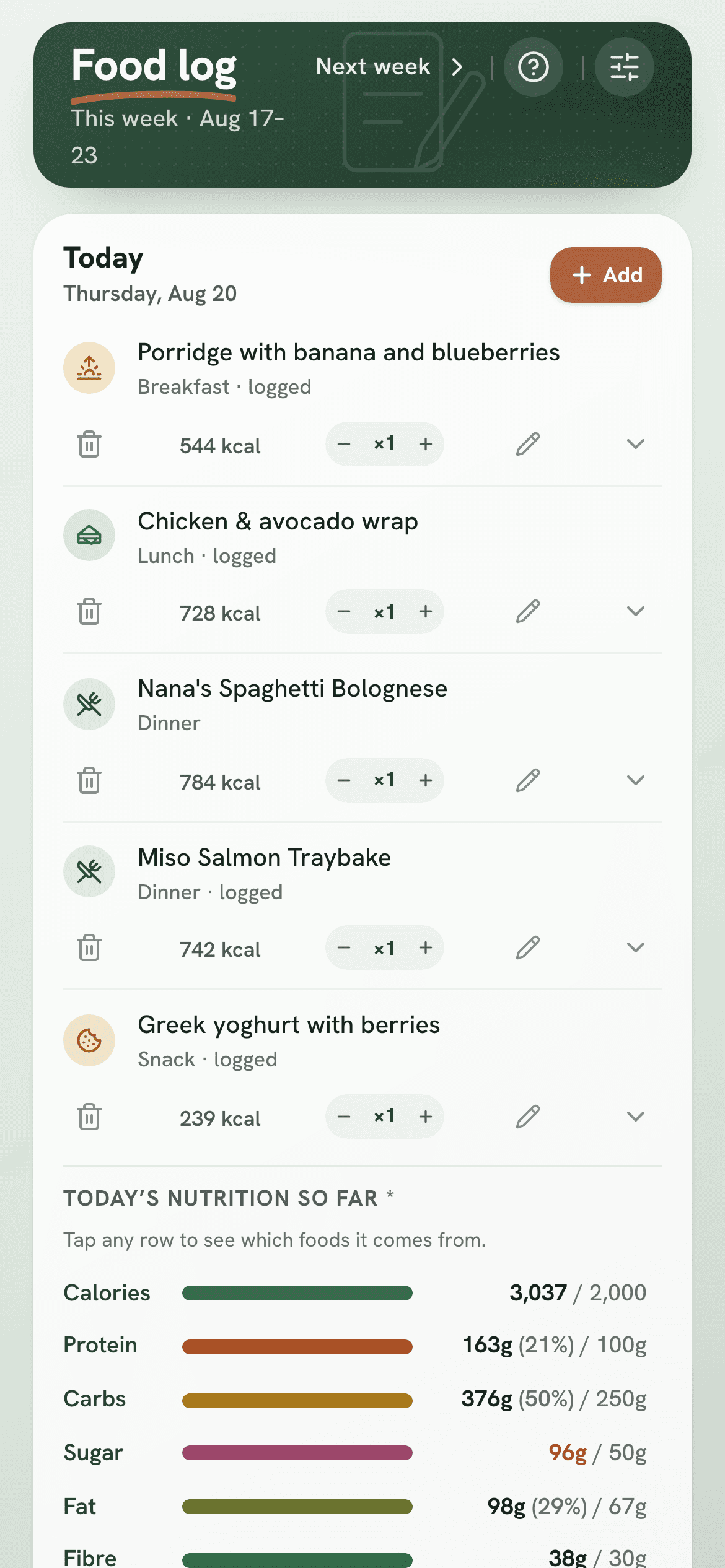
Your day, logged with full nutrition
How groups work
One shared cookbook. Your own meal plan.
Not everyone in a group eats the same dinners - and that's fine. Everyone shares the recipes, but you choose who you link with.
Everyone in your group
Your whole group - family, the flat, a group of friends - shares one cookbook. Anyone can add recipes, and everyone can cook from them.
Just the people you link with
Link with the people you actually share dinner with - your partner, or a couple of flatmates. Only linked people share a meal plan and shopping list. Everyone else in the group plans their own.
Get started
Up and running in a minute
Create your group
Sign up free and start a group - family, your flat, or friends. Or keep it just for yourself.
Share the code
Others join with a six-letter invite code. Then link up with whoever they share dinners with.
Plan & shop
Drop meals onto the week. Take the shopping list it builds to the supermarket.
No app store needed
Runs right in your browser
Our Meal Planner is free, with no ads and nothing to download. Add it to your home screen and it opens and feels just like a normal app.
How to add it to your home screen
iPhone & iPad (Safari)
- Open Our Meal Planner in Safari
- Tap the Share button (the square with an arrow pointing up)
- Scroll down and tap Add to Home Screen
- Tap Add - it now sits with your other apps
Android (Chrome)
- Open Our Meal Planner in Chrome
- Tap the menu (three dots, top right)
- Tap Add to Home screen or Install app
- Confirm - it appears on your home screen
Dinner, sorted for the week.
Keep every recipe in one place. Plan dinners together in minutes. Get a shopping list that writes itself. Check nutrition with an easy food log.
Create your free account